WPWeb Social Network Integration Documentation
To create a PayPal App for Log in with PayPal, visit the PayPal Developer Dashboard.
Create a PayPal App
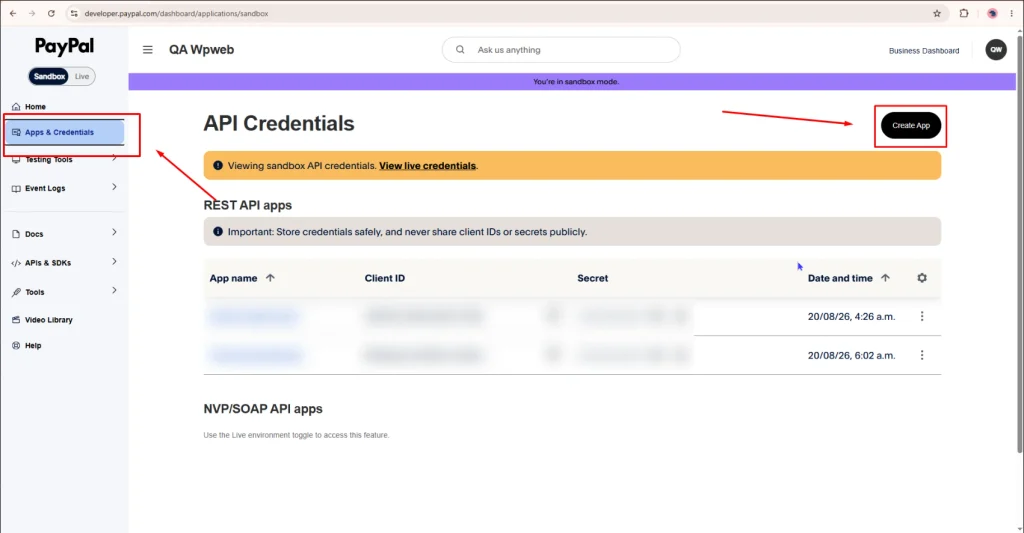
Log in to your PayPal account and open Apps & Credentials from the left-side menu, make sure you are in Sandbox mode and click Create App.
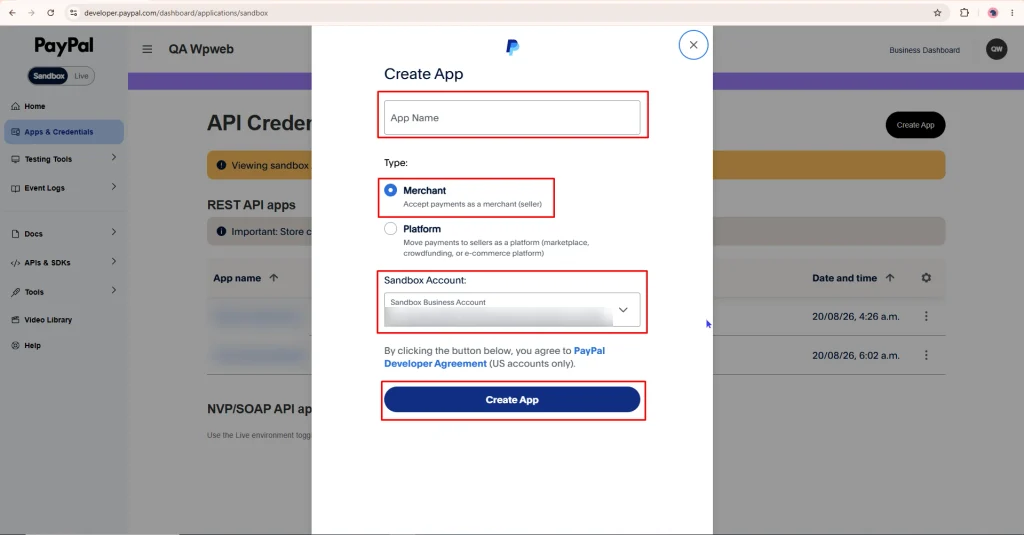
Enter your App Name, select Merchant as the application type, choose the required Sandbox Business Account, and click Create App as shown in the image below.
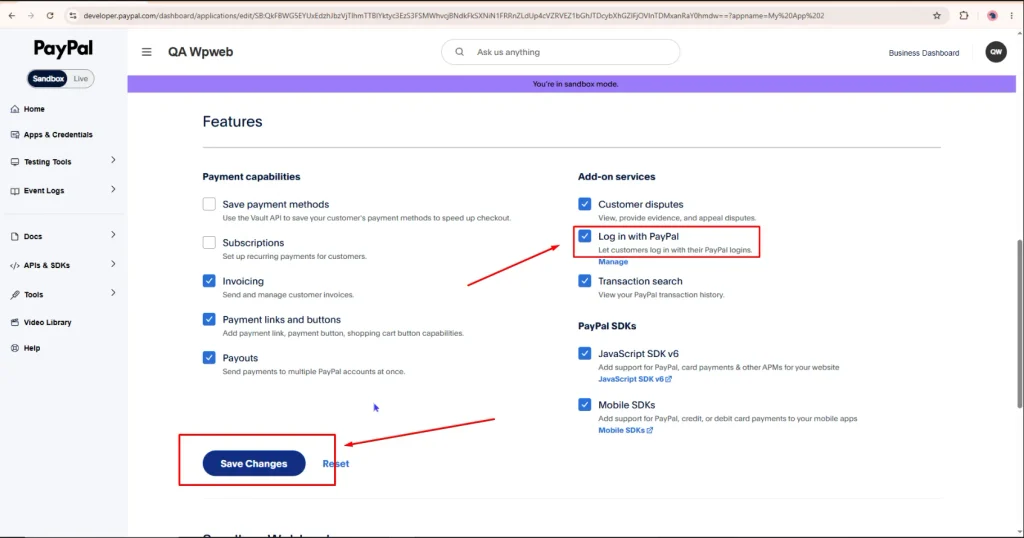
Enable Log in with PayPal
After creating the App, scroll to the Features section. Under Add-on services, enable Log in with PayPal and click Save Changes.
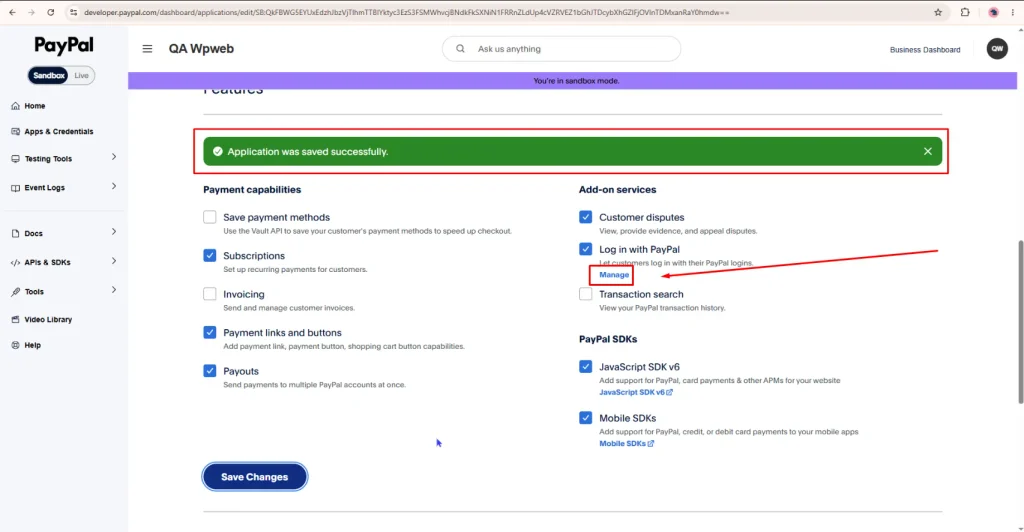
Once the changes are saved, click Manage under Log in with PayPal to configure the required settings.
Configure Log in with PayPal
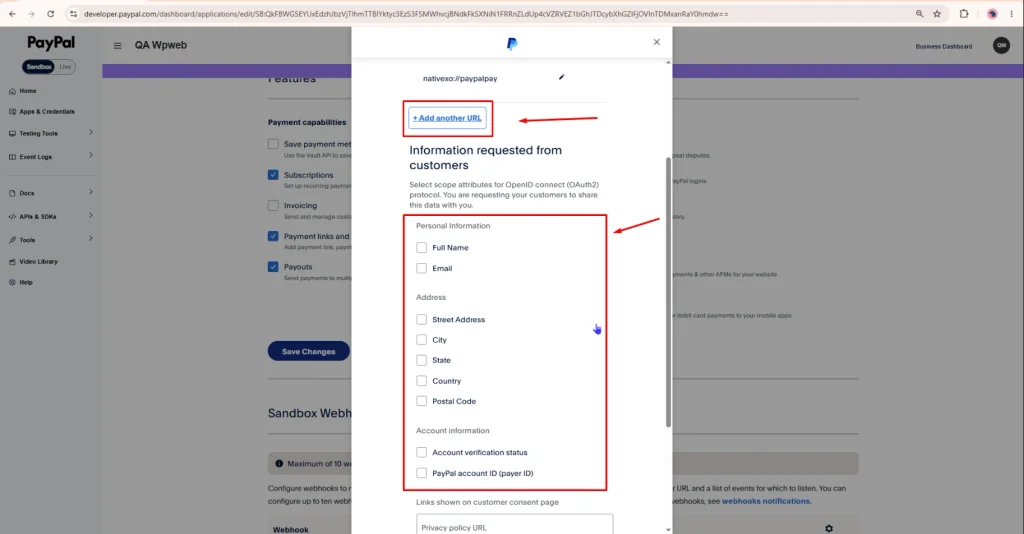
In the Information requested from customers section, select the customer information required by the application.
Configure the required Personal Information, Address, and Account Information options as shown in the screenshot.
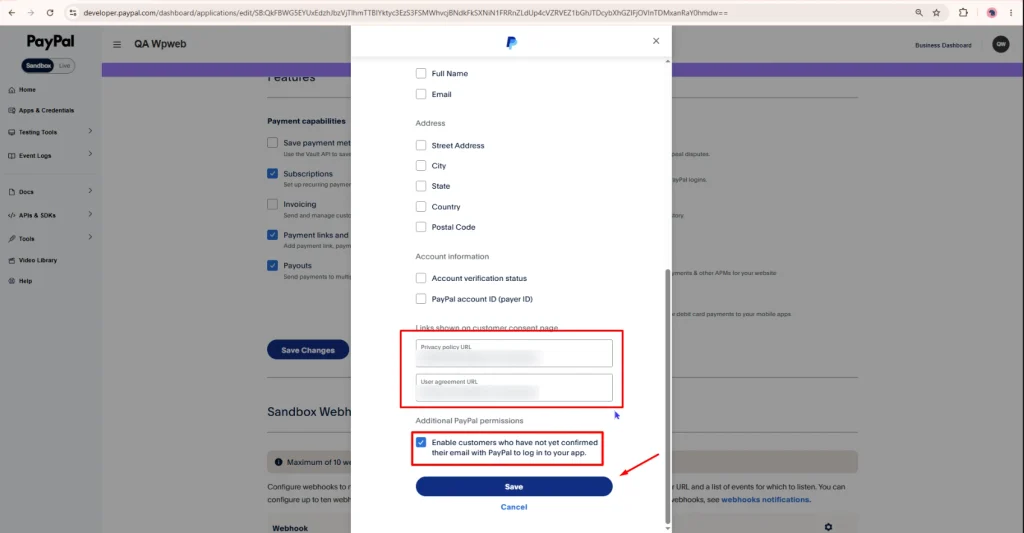
Under Links shown on customer consent page, enter your:
- Privacy Policy URL
- User Agreement URL
These URLs will be displayed to users on the PayPal consent page.
Under Additional PayPal permissions, enable Enable customers who have not yet confirmed their email with PayPal to log in to your app, if required.
Click Save to save the Log in with PayPal configuration.
Get the PayPal Client ID and Secret
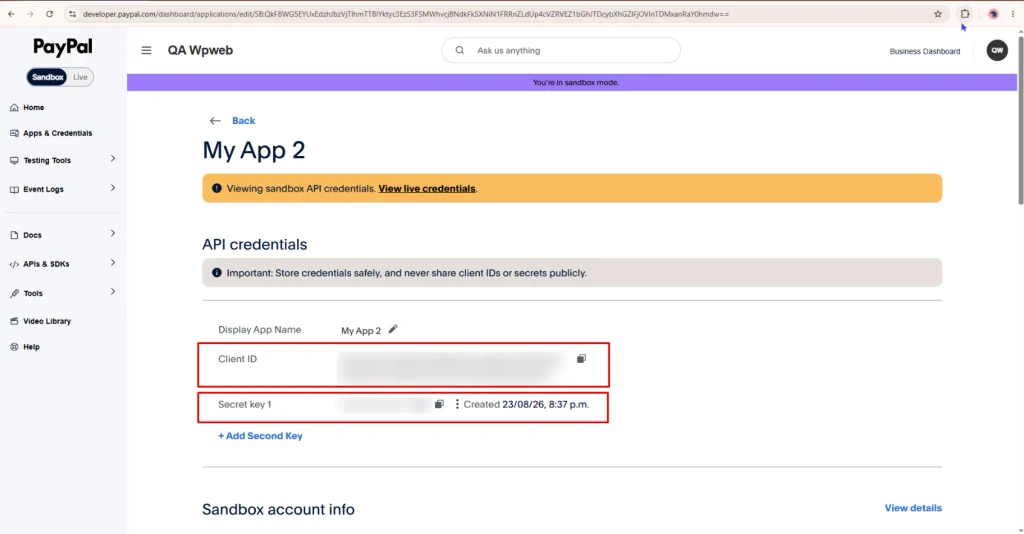
After saving the App settings, open your PayPal App from the Apps & Credentials page.
On the App details page, you will find the Client ID and Secret key under API credentials.
Copy both credentials and keep them secure.
Add PayPal Credentials to the Plugin
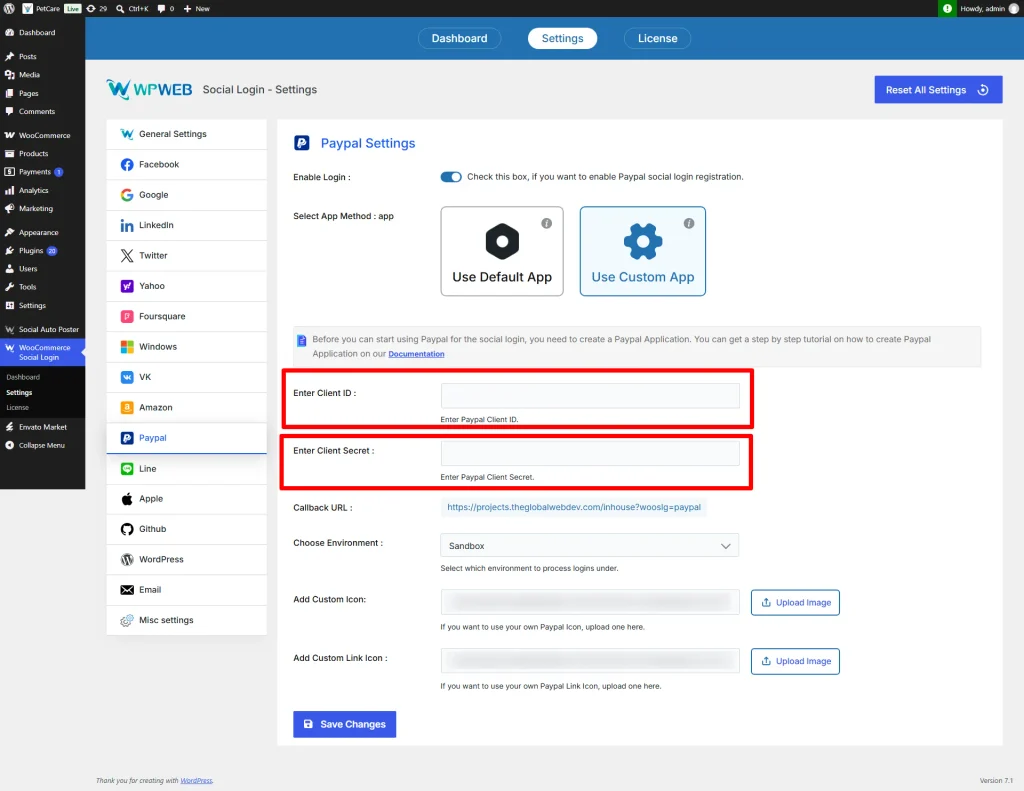
Copy the Client ID and Secret Key from your PayPal App and enter them in the PayPal App Settings section within the plugin settings page.
After entering the credentials, click Save Changes to save the PayPal App settings.
PayPal app review submission steps
Sharing all other customer data requires approval through the app review process. Please send your app review request to [email protected]. For reference you can consider below email template.
Dear PayPal,
We have created an app on our PayPal developer account called “My Application Name”.
Description:
We are using a plugin on our website called “WooCommerce social login” that provides a feature to login to the website via PayPal login button.We have configured this app with this plugin on our website. Using this the users will get logged into our website who are coming on our website.
From customer attributes we required Address Information as we need that email address to create users account else, it will not allow to login.
We will use this email address to check that if a customer already has an account or not to avoid account duplication.
- Live site URL:
- Client ID of your live app:
- Privacy policy URL:
- Return URL:
Please let me know if you need any information so, we can make this app live and use for our website. Looking forward to hearing from you soon.
Thanks
